How to add a SCPI instrument: write a YAML profile from the programming manual
By Alex Hernandez · · 14 min read
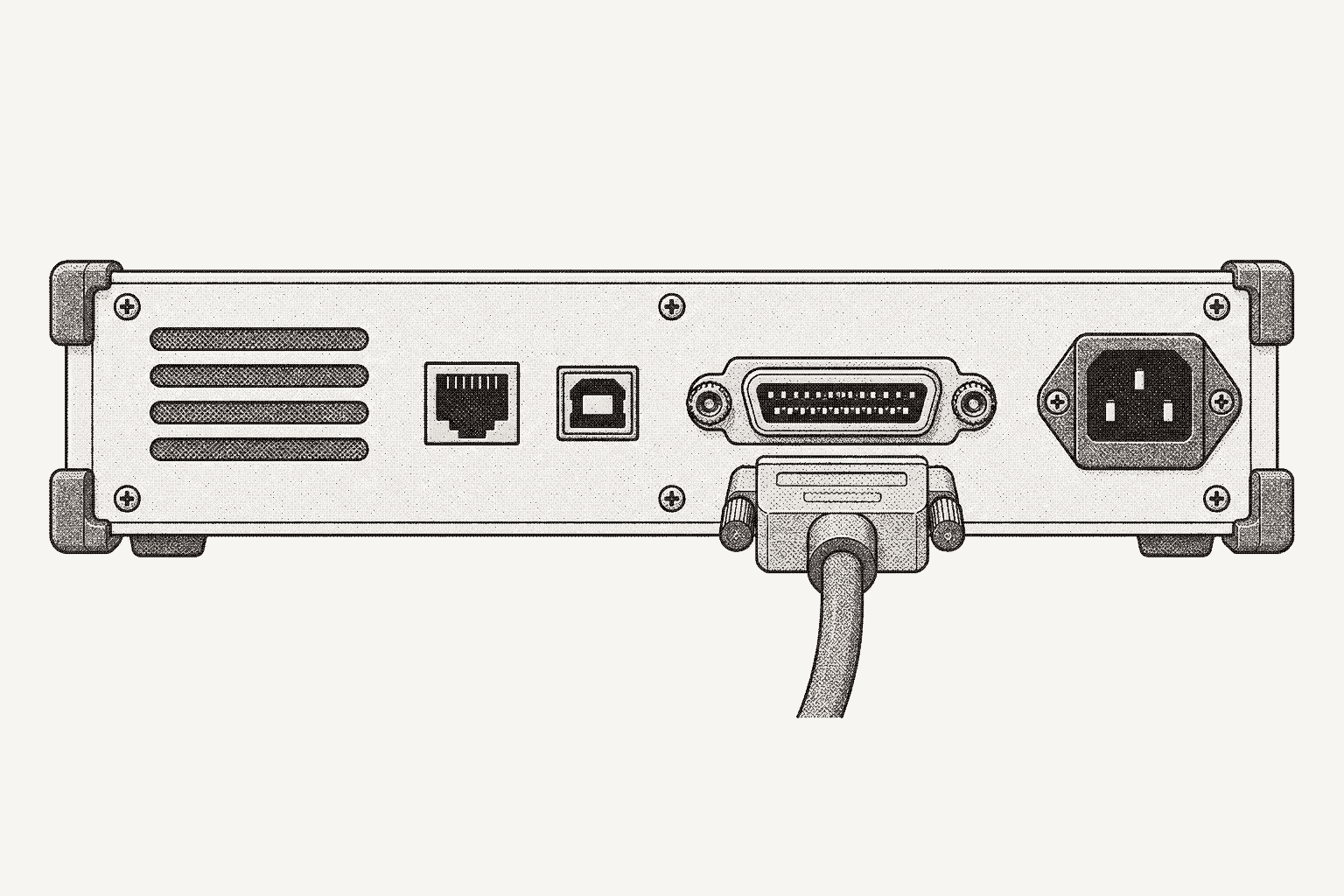
To add a SCPI instrument to Galois, write one YAML instrument profile: an identity regex for its *IDN? reply, its transports and I/O settings, and a tree of named commands whose parameters carry the types, units and ranges from the programming manual. Drop the file in the daemon's profile directory, restart, and each command becomes a typed MCP tool.
Galois is agent-driven test engineering for hardware teams: agents generate tests and instrument drivers, run them on real benches through the open-source galois-edge daemon, and turn the results into reports and a shared engineering record. Its instrument library lists 573 profiles. This guide is for an instrument that is not among them, and builds its profile by hand. To have Évariste, the agent in the Galois platform, draft it from the manual and run the bench check instead, see adding it with Évariste.
The worked example is the Rohde & Schwarz NGE100B, a bench supply sold as the two-channel NGE102B and three-channel NGE103B, rated 32 V and 3 A per channel, with no profile in the library at the time of writing. Every command, range and quirk below comes from the NGE100B user manual, version 11, and every field follows the instrument profiles reference.
What goes in an instrument profile?
A profile nests from instrument to command to parameter. Under commands, each named command holds its SCPI template and its params; each parameter holds its type, unit, limits and options. A path such as commands → set_voltage → params → voltage → max is one fact you can check against one line of the manual. Declarative instrument drivers makes the case for that shape; this guide is the procedure.
| Key | What it holds | Where it comes from in the manual |
|---|---|---|
instrument | Manufacturer, model, class, description | Title page and model list |
identity | Regex patterns for the *IDN? reply | The *IDN? entry under common commands |
interfaces | Transports, TCP port, GPIB address, serial framing | Remote control interfaces chapter |
settings | Timeout, terminator, *OPC? behavior, connect and disconnect commands | Connection setup and synchronization notes |
commands | Named commands with typed params and returns | Command reference, one entry per command |
sequences | Multi-step recipes that run as one transaction | Programming examples |
A seventh key, sdk, binds vendor Python SDKs for instruments that do not speak SCPI.
Step 1: Match the *IDN? reply
Start from the reply the instrument actually sends. With nothing else holding it, PyVISA prints it:
import pyvisa

rm = pyvisa.ResourceManager()
psu = rm.open_resource(
    "USB0::0x0AAD::0x0197::5601.3800k03-100689::INSTR",  # the manual's example address
    read_termination="\n",
    write_termination="\n",
)
print(psu.query("*IDN?"))
The manual documents the reply as Rohde&Schwarz,<device type>,<part number>/<serial number>,<firmware version> and gives Rohde&Schwarz,NGE103B,5601.1414k03/100421,1.20 as an example. Match the fields that name the model and leave the serial number and firmware out:
instrument:
  manufacturer: "Rohde-Schwarz"
  model: "NGE100B"
  class: power_supply
  description: "NGE102B / NGE103B power supply, 2 or 3 channels, 32 V / 3 A per channel"

identity:
  query: "*IDN?"
  patterns:
    - "Rohde&Schwarz,NGE10[23]B,"
The daemon matches patterns case-insensitively, in load order, and the first match wins, so a pattern loose enough to catch a sibling model claims it with the wrong command set. NGE10[23]B covers both models with one profile, at a price: channel 3 exists only on the NGE103B, so a two-channel unit can receive INST:NSEL 3 and answer with an error. To stop that before the wire, write one profile per model, each with an exact pattern and its own channel range.
The instrument block also names the tools. Manufacturer and model join into a profile key, lowercased with spaces turned into underscores, which prefixes every MCP tool the profile produces. The MCP specification says tool names should use only letters, digits, underscores, hyphens and dots, so this profile spells the manufacturer Rohde-Schwarz, giving the key rohde-schwarz_nge100b.
Step 2: Set interfaces and communication settings
The manual covers USB, LAN and, on older units, WLAN; this profile declares USB and LAN. USB runs as USBTMC or as a virtual COM port; set USB Mode to TMC in the instrument's menu and restart it, and the daemon sees a USBTMC device under the Rohde & Schwarz vendor ID, 0x0AAD. LAN needs the NGE-K101 Ethernet option; the manual's socket port "is fixed at port 5025."
interfaces:
  - type: usb               # USB Mode set to TMC on the instrument
  - type: ethernet          # needs the NGE-K101 Ethernet option
    port: 5025

settings:
  timeout_ms: 5000
  terminator: "\n"          # manual: the end character must be LF
  opc_query: true           # wait for *OPC? after every write
  init_commands:
    - "SYST:REM"            # remote state; the front panel is locked
  cleanup_commands:
    - "SYST:LOC"            # front panel control returns on disconnect
Each setting traces to the manual.
terminator: "The end character must be set to line feed (LF)."opc_query: truesends*OPC?after each write. The NGE100B "does not support parallel processing of remote commands," and a1from*OPC?means it can take the next one. One round trip per write buys a setpoint that has landed before anything reads it.init_commandssendsSYST:REM, which locks the front panel until someone presses the Remote key.SYST:RWLockdisables that key too, which suits a rack nobody should touch, not a shared bench.
Discovery happens per bus: USBTMC devices turn up in the USB scan, LXI instruments are found over mDNS, and other LAN instruments go in LAN_INSTRUMENTS, for this supply as TCPIP::<ip>::5025::SOCKET (connecting instruments).
Step 3: Map commands from the programming manual
Every entry in the NGE100B command reference has a syntax line, a parameter block with its range, a default unit and an example. This is the voltage setpoint:
[SOURce:]VOLTage[:LEVel][:IMMediate][:AMPLitude] <Voltage>
Parameters:
<Voltage>   {<Voltage> | MINimum | MAXimum | DEFault}
            0.0 V to 32.2 V (adjustable in 10 mV steps).
            Default unit: V
Bracketed nodes are optional, so the shortest legal header is VOLT. The manual allows "either the short form or the long form; other abbreviations are not permitted," so VOLTA is an error, not a near miss. The parameter becomes a {voltage} placeholder, and the range, unit and step size become min, max, unit and the description.
One property shapes the whole profile: every setting applies to "the previous selected channel." The manual treats each channel as a separate instrument, as SCPI requires, selected with INSTrument:NSELect. The profile mirrors that with a select_channel command and setpoint and measurement commands that act on the selected channel. Step 6 turns those pairs into transactions.
commands:
  select_channel:
    scpi: "INST:NSEL {channel}"
    type: write
    description: "Select the channel that later commands act on"
    params:
      channel:
        type: int
        min: 1
        max: 3              # channel 3 exists on the NGE103B only

  set_voltage:
    scpi: "VOLT {voltage}"
    type: write
    description: "Voltage setpoint of the selected channel (10 mV resolution)"
    params:
      voltage:
        type: float
        unit: V
        min: 0
        max: 32.2

  set_current:
    scpi: "CURR {current}"
    type: write
    description: "Current limit of the selected channel"
    params:
      current:
        type: float
        unit: A
        min: 0.003
        max: 3.025

  set_ovp_level:
    scpi: "VOLT:PROT:LEV {voltage}"
    type: write
    description: "Overvoltage protection threshold of the selected channel"
    params:
      voltage:
        type: float
        unit: V
        min: 0.1            # manual text says 0 mV; VOLT:PROT:LEV? MIN returns 0.100
        max: 32.2

  set_ovp_state:
    scpi: "VOLT:PROT {state}"
    type: write
    description: "Arm or disarm overvoltage protection on the selected channel"
    params:
      state:
        type: enum
        options: ["on", "off"]       # quoted: YAML 1.1 reads bare on/off as booleans
        map: { "on": 1, "off": 0 }   # agent sees on/off, the wire gets 1/0

  clear_ovp:
    scpi: "VOLT:PROT:CLE"
    type: write
    description: "Reset a tripped OVP on the selected channel"

  measure_voltage:
    scpi: "MEAS:VOLT?"
    type: query
    description: "Measured output voltage of the selected channel"
    returns:
      type: float
      unit: V

  measure_current:
    scpi: "MEAS:CURR?"
    type: query
    description: "Measured output current of the selected channel"
    returns:
      type: float
      unit: A

  output_mode:
    scpi: "OUTP:MODE?"
    type: query
    description: "OFF, CV or CC for the selected channel"
    returns:
type: string| Manual entry | Profile command | Parameter or return |
|---|---|---|
INSTrument:NSELect | select_channel | channel: int, 1 to 3 |
[SOURce:]VOLTage[:LEVel]… | set_voltage | voltage: float, 0 to 32.2 V |
[SOURce:]CURRent[:LEVel]… | set_current | current: float, 0.003 to 3.025 A |
[SOURce:]VOLTage:PROTection:LEVel | set_ovp_level | voltage: float, 0.1 to 32.2 V |
[SOURce:]VOLTage:PROTection[:STATe] | set_ovp_state | state: enum, on or off |
[SOURce:]VOLTage:PROTection:CLEar | clear_ovp | none |
MEASure[:SCALar][:VOLTage][:DC]? | measure_voltage | returns float, V |
MEASure[:SCALar]:CURRent[:DC]? | measure_current | returns float, A |
OUTPut:MODE? | output_mode | returns OFF, CV or CC |
Leave out what no test will call. EasyArb, EasyRamp, trigger I/O and fuse linking can wait until a test needs them; a short profile someone has checked line by line beats a long one nobody has.
Step 4: Type every parameter: ranges, options and units
The reference defines five parameter types: float, int, string, enum and bool. Pick the one the manual implies and copy the limits exactly.
- Continuous values are
floatorintwithminandmax. The current limit runs from 3 mA to 3.025 A, so the profile saysmax: 3.025, not a rounded 3. - Discrete words are
enumwithoptions. Addmapwhen the label an agent sees differs from the wire value:set_ovp_stateoffersonandoffand sends1and0. - Units go in
unit, which ends up in the tool description an agent reads.
Quote every enum option. YAML 1.1 booleans include on, off, yes and no, and PyYAML is a YAML 1.1 parser, so options: [ON, OFF] loads as [True, False] instead of the words the manual lists. Keys in map need the same quotes.
When the manual disagrees with itself, take the narrower range and ask the instrument. The OVP entry gives the threshold range as "0 mV up to 32.2 V," while the example in the same section shows VOLT:PROT:LEV? MIN answering 0.100, so the profile uses 0.1 V. The supply answers MIN and MAX queries, so sending that same query on the bench settles it in one line.
Ranges are what make the typed tools safe to hand to an agent. Out-of-range values are rejected before any SCPI reaches the wire, so a request for 40 V fails at the tool call instead of landing in the supply's error queue while the test carries on.
Step 5: Flag commands that can damage hardware
A profile marks hazards per command with is_dangerous: true. On a supply, the hazard is energizing an output into a device under test:
commands:
  # ...the entries from step 3 continue here

  channel_on:
    scpi: "OUTP 1"
    type: write
    is_dangerous: true
    description: "Energize the selected channel and the main output"

  channel_off:
    scpi: "OUTP 0"
    type: write
    description: "Turn the selected channel off"

  all_outputs_off:
    scpi: "OUTP:GEN 0"
    type: write
    description: "Turn the main output off for every channel"
Split the safe direction out. The flag belongs to a command, not to a parameter value. A single output command taking on or off would put the off switch behind the same confirmation as the on switch. As separate commands, channel_off and all_outputs_off carry no flag, so neither waits on danger_allow or on a confirmation meant for the on switch, which is what you want from the command that ends a fault. The Keysight 8164B profile in photonics test automation does the same with its laser.
Know what the flag does downstream. In MCP it becomes destructiveHint: true, a hint that clients with confirmation prompts, such as Claude Desktop, can use to ask a person first. Enforcement depends on the path: on the direct path there is no per-call auth and the port is exposed on the tailnet address and 0.0.0.0; the relay path carries a signed per-call token checked against tool permissions, and the daemon refuses a dangerous command unless that token carries danger_allow. Can an LLM safely drive lab instruments? covers what to layer on top of a hint.
Instruments that ramp, such as magnet supplies, also get requires_sweep: true and a sweep block, so the daemon runs the command only through its rate-controlled, abortable sweep path.
Step 6: Group channel steps into sequences
Channel selection is state held by the instrument. Two separate calls, select_channel and then set_voltage, leave a gap in which another client can select a different channel. Sequences close the gap: the daemon runs every step of a sequence under the per-instrument lock, as one transaction (daemon API reference).
sequences:
  configure_channel:
    description: "Select a channel, arm OVP, then set voltage and current. Output state is unchanged."
    parameters:
      channel: { type: int, min: 1, max: 3 }
      ovp:     { type: float, unit: V, min: 0.1, max: 32.2 }
      voltage: { type: float, unit: V, min: 0, max: 32.2 }
      current: { type: float, unit: A, min: 0.003, max: 3.025 }
    steps:
      - command: select_channel
        args: { channel: "{channel}" }
      - command: set_ovp_level
        args: { voltage: "{ovp}" }
      - command: set_ovp_state
        args: { state: "on" }
      - command: set_voltage
        args: { voltage: "{voltage}" }
      - command: set_current
        args: { current: "{current}" }

  read_voltage:
    description: "Measured output voltage of one channel"
    parameters:
      channel: { type: int, min: 1, max: 3 }
    steps:
      - command: select_channel
        args: { channel: "{channel}" }
      - command: measure_voltage
        capture: volts
    returns: volts
Step args fill the called command's placeholders from the sequence's parameters, which repeat their ranges because they are what the sequence's MCP tool exposes. Each step is one SCPI command, matching the manual's advice that "each command must be sent in a separate command line" to guarantee order.
The order inside configure_channel is deliberate: protection is armed before the setpoint moves, and output state is left alone, so configuring a channel that is off never turns it on. A test runs configure_channel, then channel_on, kept separate so it keeps its danger flag. It acts on whichever channel is selected when it arrives, so give each supply one controlling client. Branching logic, such as searching for the load current where a rail drops out of regulation, belongs in Python that calls these commands.
How do I validate an instrument profile?
Validate in three passes.
Locally, before the daemon sees the file, catch three mistakes early: a pattern that misses the real reply, a parameter declared but absent from its template, and unquoted enum options.
"""Pre-flight checks for an instrument profile, run before the daemon loads it."""
import re
import sys

import yaml

PARAM_TYPES = {"float", "int", "string", "enum", "bool"}

with open(sys.argv[1]) as f:
    profile = yaml.safe_load(f)
idn = sys.argv[2]  # the *IDN? reply you captured from the real instrument

identity = profile["identity"]
patterns = identity.get("patterns") or [identity["pattern"]]
if not any(re.search(p, idn, re.IGNORECASE) for p in patterns):
    sys.exit(f"no identity pattern matches {idn!r}")

for name, cmd in profile["commands"].items():
    template = cmd.get("scpi") or cmd.get("setter") or ""
    if not (template or cmd.get("getter")):
        sys.exit(f"{name}: no scpi, getter or setter")
    for pname, p in (cmd.get("params") or {}).items():
        where = f"{name}.{pname}"
        if p.get("type") not in PARAM_TYPES:
            sys.exit(f"{where}: unknown type {p.get('type')!r}")
        if "{" + pname + "}" not in template:
            sys.exit(f"{where}: declared but not used in {template!r}")
        if p["type"] == "enum":
            options = p.get("options") or []
            if not options or not all(isinstance(o, str) for o in options):
                sys.exit(f"{where}: enum needs options, quoted as strings")
        if "min" in p and "max" in p and p["min"] > p["max"]:
            sys.exit(f"{where}: min is above max")
    if cmd.get("is_dangerous"):
        print(f"dangerous: {name}")

print(f"ok: {len(profile['commands'])} commands, {len(profile.get('sequences') or {})} sequences")python check_profile.py rohde_schwarz_nge100b.yaml "Rohde&Schwarz,NGE103B,5601.1414k03/100421,1.20"
# dangerous: channel_on
# ok: 12 commands, 2 sequencesRead the dangerous list every time: it should name every command that can energize, move or heat something, and nothing else.
At load, the daemon validates every profile and logs each failure with the offending command or sequence name: patterns that do not compile, commands with nothing to send, unknown types, enums without options, sequences without steps. Install the file and restart:
sudo mkdir -p /srv/galois/profiles
sudo cp rohde_schwarz_nge100b.yaml /srv/galois/profiles/
sudo galois-edge configure set PROFILE_DIR /srv/galois/profiles
sudo galois-edge configure set PROFILES_ENABLED true
sudo systemctl restart galois-edge
journalctl -u galois-edge -n 200 | grep -i profile   # loaded profiles and validation errors
galois-edge status                                   # the supply, its address and state
PROFILE_DIR loads on top of the bundled profiles (configuration reference), and the DeployProfile call pushes YAML into a running daemon without a restart.
On the bench, confirm which profile matched and what it exposes, then run the harmless commands first:
grpcurl -plaintext localhost:50051 \
  galois.edge.v1.EdgeDaemonService/ListInstruments          # profile_name per instrument

grpcurl -plaintext -d '{"instrument_id": "USB0::0x0AAD::0x0197::5601.3800k03-100689::INSTR"}' \
  localhost:50051 galois.edge.v1.EdgeDaemonService/GetCapabilities
With every output off, run read_voltage on each channel. Run configure_channel with a low setpoint and an OVP threshold above it, read the setting back with raw VOLT?, and drain the error queue with SYST:ERR?. Only then try channel_on, with no load or a dummy load.
How does a new profile become MCP tools?
When the daemon discovers the supply, it sends *IDN?, matches the profile and registers the instrument. The MCP server emits one typed tool per command and one per sequence and broadcasts notifications/tools/list_changed to connected sessions; unplugging removes the tools and broadcasts again. For USB, the MCP server reference puts plug-in to tools/list_changed at around two seconds. A LAN instrument appears on the next rescan, every 60 seconds by default, or after a ScanInstruments call.
| Profile node | MCP tool |
|---|---|
commands.set_voltage | rohde-schwarz_nge100b__set_voltage |
commands.channel_on | rohde-schwarz_nge100b__channel_on |
sequences.configure_channel | rohde-schwarz_nge100b__sequence__configure_channel |
A second NGE100B on the same daemon adds a short instrument suffix to both units' tool names, so an agent can tell them apart. Each input schema comes from the parameter level of the tree; this is the one the daemon builds for set_voltage:
{
  "type": "object",
  "properties": {
    "voltage": { "type": "number", "minimum": 0, "maximum": 32.2, "description": "(unit: V)" }
  },
  "required": ["voltage"]
}
min and max become minimum and maximum, the unit lands in the description, and an enum with a map exposes its labels while the wire values stay internal. MCP for lab instruments covers the agent side. Python reads the same tree: with the pyvisa-galois backend, profile commands appear as keyword-only methods on a PyVISA resource, so psu.set_voltage(voltage=5.0) sits next to psu.query("*IDN?").
Can Galois generate the profile from the manual?
Yes. Upload the instrument's programming manual to the PDF-to-driver pipeline and it generates a profile in this format. Generation moves the work from typing to checking, so review the output the way this guide built the profile by hand:
- The
*IDN?pattern matches a reply captured from the real instrument. - Every SCPI template uses a legal short or long form.
- Ranges match the parameter text; where the manual contradicts itself, the narrower value wins until the instrument settles it.
- Enum options and
mapkeys are quoted. - Every command that energizes or moves hardware carries
is_dangerous, and the off direction does not. - Commands that depend on a selected channel are wrapped in sequences.
The NGE100B manual shows why the review stays. Besides the OVP contradiction, its voltage entry prints the maximum as 32.200E+01, ten times the real limit. Any transcription, by a person or a model, inherits what the source says; a profile puts each claim on its own line, where a reviewer can catch it. For CAN devices, the galois-edge repository's dbc2galois script does the same job from a vendor DBC file.
How to add a SCPI instrument in Galois with Évariste
In Galois, open Évariste from the app sidebar (Ctrl+Shift+E) beside your project. An instrument without a profile still takes raw SCPI, so ask Évariste to send *IDN? to the supply and keep the reply. Then upload the NGE100B manual and state the objective with this guide's facts:
Write a profile for the Rohde & Schwarz NGE102B and NGE103B, manufacturer spelled
Rohde-Schwarz. Match the*IDN?reply on manufacturer and model only. Declare USB (TMC mode) and LAN on port 5025, an LF terminator,*OPC?after every write,SYST:REMon connect andSYST:LOCon disconnect. Map channel select (1 to 3), voltage (0 to 32.2 V), current limit (0.003 to 3.025 A), OVP level (0.1 to 32.2 V), OVP state and clear, measured voltage and current, and output mode. Flag the command that turns a channel on as dangerous; leave channel off and all outputs off unflagged. Add aconfigure_channelsequence that arms OVP before the setpoint moves and leaves output state alone, and aread_voltagesequence.
Évariste drafts the profile in this format; read the identity block and output pair first:
identity:
  query: "*IDN?"
  patterns:
    - "Rohde&Schwarz,NGE10[23]B,"

commands:
  channel_on:
    scpi: "OUTP 1"
    type: write
    is_dangerous: true
    description: "Energize the selected channel and the main output"

  channel_off:
    scpi: "OUTP 0"
    type: write
    description: "Turn the selected channel off"
Review, approve, deploy. Check the draft against the six points above, using the captured reply for point 1, and confirm set_voltage stops at 32.2 V, not the manual's misprinted maximum. Ask for fixes in conversation and approve the profile once every range traces to the manual. Then ask Évariste to deploy it to the bench's galois-edge and bind it to the supply. "List connected instruments" now shows the supply and its profile commands.
Run the bench check. First, with every output off, have Évariste run read_voltage on each channel and configure_channel on channel 1 at 1 V and 0.1 A with OVP at 2 V, then send VOLT? and SYST:ERR? to read the setpoint back and drain the error queue. Then describe the energized part as a test sequence, a project test with limits rather than a profile sequences entry: "Configure channel 1 at 1 V and 0.1 A with OVP at 2 V. Turn it on with no load, expect 0.95 to 1.05 V and output mode CV, then turn all outputs off." It lands as a draft. Check the limits and that the last step turns every output off, then approve it; how to review an AI-generated test plan covers what to look for. Edits become new versions with diffs. The run goes through galois-edge while Monitor shows the channels live. Asked to send channel_on on its own, Évariste waits for your confirmation.
Results and report. Each step is recorded with its measured value, limits, pass or fail, raw command and response, instrument, operator and timestamps. Ask Évariste which steps failed or passed close to a limit, compare later runs, and ask it to "Generate a test report from the last run" for a PDF or HTML report you can edit and share to Slack.
You no longer type the profile, maintain check_profile.py, run the install commands, or copy readings into notes. Stating ranges and hazards from the manual, reviewing the draft, approving it, setting USB Mode to TMC, leaving channel 1 unloaded and confirming channel_on stay yours. AI test automation for hardware benches covers the wider loop.
| Step | Code path (this guide) | Galois with Évariste |
|---|---|---|
| Identify | idn.py prints the *IDN? reply | Évariste sends *IDN? to the supply |
| Write the profile | Type steps 1 to 6 from the manual | State the facts; Évariste drafts the same YAML |
| Pre-flight check | check_profile.py | The six review points, then approval |
| Install and confirm | Copy to PROFILE_DIR, restart, query with grpcurl | Évariste deploys and binds it; "List connected instruments" |
| Bench check | Commands by hand, channel_on last | Harmless commands first, then an approved test sequence |
| Results and report | Terminal output and your notes | Per-step run record, interpretation, generated report |
When is a PyVISA class the better choice?
PyVISA is the right tool when one script owns one instrument and nobody else, person or agent, needs its vocabulary. For a one-off characterization, a short class with query() and write() can be quicker to write than a profile. Logic also belongs in Python: adaptive searches, retries keyed to specific errors and stateful calibration routines read better as code than as data.
The two combine: a Python test can call profile commands through pyvisa-galois, keeping vocabulary in YAML and logic in code. SCPI instrument automation with Python covers the PyVISA side, and the Galois and PyVISA comparison shows where the line falls. To start, install the daemon from the quickstart, check the instrument library in case a sibling model is already covered, and see the product overview for what agents do with a described bench.
Frequently asked questions
- How do I add a SCPI instrument that has no driver?
- Write a YAML instrument profile: an identity regex for its *IDN? reply, its interfaces and I/O settings, and named commands with typed parameters copied from the programming manual. Put the file in the galois-edge profile directory and restart the daemon, or upload the manual and review the profile Galois generates. Until a profile matches, the instrument still accepts raw SCPI.
- What should an *IDN? pattern match?
- The fixed fields that identify the model, usually manufacturer and model number, and not the serial number or firmware revision. Capture the real reply from the instrument, write a regex that matches it case-insensitively, and check that it does not also match sibling models whose commands you have not mapped.
- Can I generate an instrument profile from the programming manual?
- Yes. Upload the programming manual to Évariste, the agent in the Galois platform, and it drafts a profile in the same YAML format. Review it like a pull request: check each SCPI template, range and unit against the manual's command reference, and confirm that every command that energizes an output is flagged as dangerous. Once you approve it, Évariste can deploy it to galois-edge and bind it to the instrument.
- Do I have to restart galois-edge after adding a profile?
- For a file placed in PROFILE_DIR, yes. Profiles load at daemon startup, and the startup log lists the profiles loaded and any validation errors. The daemon API also has a DeployProfile call that pushes YAML to a running daemon and reloads it without a restart.
- Should turning an output on and off be separate profile commands?
- Yes. The is_dangerous flag belongs to a command, not to a parameter value, so a single output command taking ON or OFF puts the off switch behind the same confirmation as the on switch. Flag the command that energizes the output and leave the channel-off and all-outputs-off commands unflagged, so ending a fault never waits on a confirmation prompt or on danger_allow.
Bring Galois to your bench.
The daemon is Apache-2.0, free forever. Enterprise runs in your cloud or on-prem.