Lab automation for university research labs: code that outlives the student who wrote it
By Alex Hernandez · · 14 min read
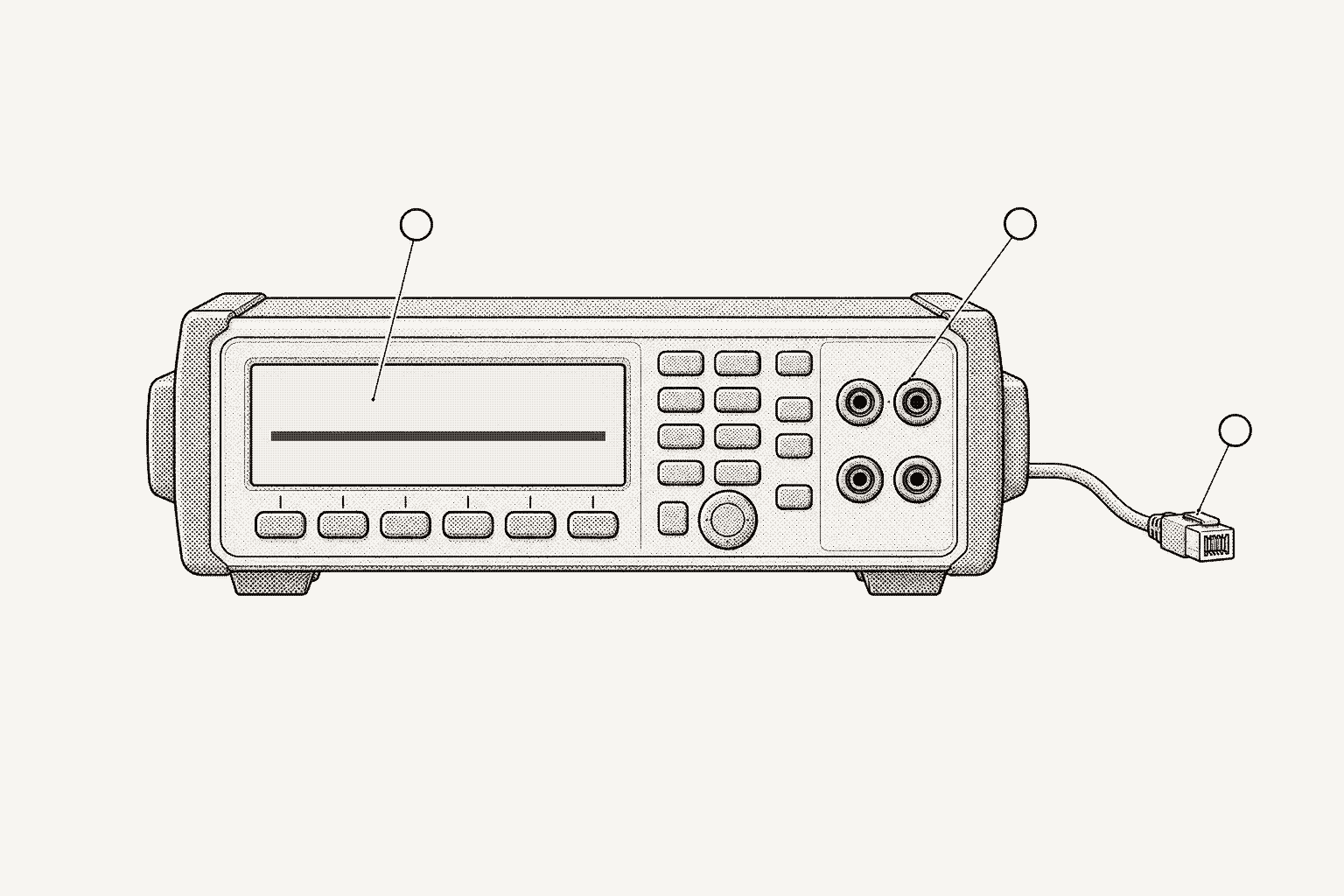
Research lab automation in Python survives student turnover when four things live outside any one person's notebook: a driver for each instrument model, the settings behind every dataset, slow ramps that run on the instrument or a bench daemon rather than a script loop, and a shared record of what ran. Then choose tools the next student can read.
This guide covers instruments common in condensed-matter, materials and device labs: SRS SR830 and SR860 lock-in amplifiers, the Lake Shore 336 temperature controller, Keithley picoammeters and SourceMeters, and the cryostats and magnets around them. For tunable lasers, power meters and optical spectrum analyzers, see photonics test automation. Instrument commands come from the vendors' manuals, linked where they are used. The tools are PyVISA, PyMeasure, QCoDeS, Labber's drivers, LabVIEW and galois-edge.
Why does lab automation break when students graduate?
Lab code often starts as one student's measurement notebook and grows for the length of a PhD. It works, because its author knows everything the code does not say. When the author leaves, four gaps show up:
- Instrument knowledge lives in one script. Which time constant code means one second, which reset leaves a picoammeter shunting its input, how long the sample takes to settle. None of it is written down anywhere except in code nobody else has read.
- Settings are missing from the data. The file holds columns of numbers. The sensitivity, time constant, ramp rate and firmware that produced them were never saved.
- Ramps depend on a laptop. A magnet or temperature ramp written as a
forloop in Jupyter stops wherever it is when the kernel dies or the laptop sleeps. - Files live in personal folders. Data sits on a lab PC desktop, code in a personal repository, and nothing links a figure to the code version that made it.
Each gap costs little to close once for the whole lab, and a lot to rediscover with every new student.
Which Python tools do research labs use for instrument control?
These four open-source projects differ mainly in how drivers are written and in what a run leaves behind.
| Tool | License | How drivers are written | Lab drivers included | What a run records |
|---|---|---|---|---|
| PyVISA | MIT | No drivers: you send command strings | None | Whatever your script writes |
| PyMeasure | MIT | Python classes with property factories | SR830, SR860, Lake Shore 3xx series (includes the 336), Keithley 2400 and 2450 | A data file per run, Metadata in the header |
| QCoDeS | MIT | Python classes built from Parameters | SR830, SR860, Lake Shore 336, Keithley 2400 and 2450 | SQLite dataset with a snapshot of the station's settings |
| galois-edge | Apache-2.0 (daemon) | YAML profiles matched by *IDN? | Galois library: SR830, SR860, Lake Shore 336, Keithley 6485, 6487 and 2450 | Audit log on the daemon; per-step record in Galois sequences |
Source: QCoDeS on GitHub (MIT)
Source: PyMeasure on GitHub (MIT)
PyMeasure pairs its drivers with Procedures that run in a worker thread with live plots, and stores Metadata, such as instrument settings read at startup, in the header of the data file. QCoDeS is primarily intended for use from Jupyter notebooks, per its README, and its Measurement context manager writes runs to an SQLite database and attaches a snapshot of the station, every parameter of every instrument registered with it, as metadata. The open-source instrument control comparison goes deeper on both.
Labber users have a third format to carry forward. Labber drivers are INI files, with an optional Python file for custom behavior, published in the Labber-software/Drivers repository under the MIT license. Its last commit is from September 2020.
How do you keep instrument drivers from leaving with a student?
Write one driver per instrument model, keep it in a shared repository, and have every notebook call its methods instead of sending raw strings. The value of a driver is the detail it encodes. Here are five such details from the manuals of instruments that sit in many research labs:
| Instrument | What the driver has to know | Manual |
|---|---|---|
| SRS SR830 lock-in | SNAP? numbers parameters from 1, so SNAP?1,2 returns X and Y. OFLT 10 sets a 1 s time constant. SENS 0 is the most sensitive range, 2 nV. Responses go to the interface chosen with OUTX (0 is RS-232, 1 is GPIB), so send OUTX 1 before queries on GPIB. | SR830 manual |
| SRS SR860 lock-in | SNAP? numbers from 0, so SNAP? 1,2 returns Y and R. Names also work: SNAP? X, Y. OFLT 10 sets 100 ms. Sensitivity moved to SCAL, where code 0 is 1 V. | SR860 manual |
| Lake Shore 336 | Chains commands separated by semicolons, up to 255 characters. Over USB it emulates a serial port at 57,600 baud and asks for 50 ms of quiet after each message, at most 20 messages a second. Raw TCP sockets use port 7777. | 336 manual |
| Keithley 6487 picoammeter | *RST leaves zero check on, which shunts the input to low, so a script that resets the meter must send SYST:ZCH OFF before it measures. While its interlock is open, the voltage source cannot operate on the 50 V or 500 V range. | 6487 manual |
| Keithley 2450 SourceMeter | Ships set to its own SCPI command set. Code written for a Model 2400 needs the SCPI 2400 set, selected with *LANG SCPI2400 and a reboot, and some of it still behaves differently. | 2450 manual |
The SR830 to SR860 upgrade is the turnover problem in miniature. A lab buys the newer lock-in, a student points the old notebook at it, and SNAP?1,2 keeps returning two clean numbers that are now Y and R. Nothing errors. A driver that exposes xy() instead of index codes turns the upgrade into a change of class:
import time

from pyvisa.resources import MessageBasedResource


class LockIn:
    """Same method names on every model; each model's codes live in one place."""

    SNAP: dict[str, str]
    TIME_CONSTANTS: tuple[float, ...]  # seconds, indexed by the OFLT code

    def __init__(self, inst: MessageBasedResource):
        self.inst = inst

    def xy(self) -> tuple[float, float]:
        reply = self.inst.query(f"SNAP? {self.SNAP['X']},{self.SNAP['Y']}")
        x, y = (float(v) for v in reply.split(","))
        return x, y

    def set_time_constant(self, seconds: float) -> None:
        if seconds not in self.TIME_CONSTANTS:
            raise ValueError(f"{type(self).__name__} accepts {self.TIME_CONSTANTS}")
        self.inst.write(f"OFLT {self.TIME_CONSTANTS.index(seconds)}")


class SR830(LockIn):
    SNAP = {"X": "1", "Y": "2"}
    TIME_CONSTANTS = (10e-6, 30e-6, 100e-6, 300e-6, 1e-3, 3e-3, 10e-3, 30e-3, 100e-3,
                      300e-3, 1, 3, 10, 30, 100, 300, 1e3, 3e3, 10e3, 30e3)
    WAIT = {0: 5, 1: 7, 2: 9, 3: 10}  # OFSL code -> time constants to reach 99 %

    def __init__(self, inst: MessageBasedResource):
        super().__init__(inst)
        inst.write("OUTX 1")  # answer on GPIB; use OUTX 0 on RS-232

    def settle(self) -> None:
        tau = self.TIME_CONSTANTS[int(self.inst.query("OFLT?"))]
        time.sleep(self.WAIT[int(self.inst.query("OFSL?"))] * tau)


class SR860(LockIn):
    SNAP = {"X": "X", "Y": "Y"}  # the SR860 accepts parameter names
    TIME_CONSTANTS = (1e-6, 3e-6) + SR830.TIME_CONSTANTS
The settle() wait comes from the SR830 manual's table: after a change, the output needs 5, 7, 9 or 10 time constants to reach 99% of its final value at 6, 12, 18 or 24 dB/oct. The SR860 manual says its advanced filters can settle up to twice as fast as the equivalent RC filters, so the SR860 class needs its own rule rather than a copy of this one.
Classes like these work for a handful of models. Past that, the commands, ranges and codes are easier to keep as data, with methods generated from them; declarative instrument drivers covers the trade-off, and the SCPI automation guide covers error queues, timeouts and logging for any of these classes.
How do you run slow, safe temperature and field sweeps?
Cryostats, magnets and gate voltages punish fast changes. Three rules keep a sweep safe through a change of hands: let the instrument ramp when it can, put step and rate limits in the driver rather than the notebook, and make sure a ramp outlives the client that started it.
Let the controller ramp. The Lake Shore 336 ramps its own setpoint. RAMP 1,1,0.5 turns on ramping for output 1 at 0.5 K/min (the manual allows 0.1 to 100 K/min, and a rate of 0 means no ramp), and the next SETP 1,<value> moves the setpoint toward the target at that rate. RAMPST? 1 returns 1 while the setpoint is ramping and 0 when it is done:
import time

import pyvisa

rm = pyvisa.ResourceManager()
tc = rm.open_resource("GPIB0::12::INSTR", read_termination="\r\n", write_termination="\n")


def ramp_to(kelvin: float, rate_k_per_min: float, output: int = 1, poll_s: float = 5.0) -> None:
    if not 0.1 <= rate_k_per_min <= 100:
        raise ValueError("the 336 ramps at 0.1 to 100 K/min")
    tc.write(f"RAMP {output},1,{rate_k_per_min};SETP {output},{kelvin}")
    time.sleep(0.05)  # the manual asks for 50 ms of quiet after a command on USB
    while int(tc.query(f"RAMPST? {output}")):  # 1 = ramping, 0 = done
        time.sleep(poll_s)  # the controller ramps; the script only watches


ramp_to(10.0, 0.5)
print(float(tc.query("KRDG? A")))  # sensor A in kelvin
RAMPST? reports the setpoint, not the sample. Before measuring, wait for KRDG? to hold inside a band you choose, then add the lock-in's own settling time on top.
Step in the driver when the instrument cannot ramp. A SourceMeter driving a gate has no ramp of its own. QCoDeS handles this on the parameter itself: step caps the change per set, larger changes are broken into steps of that size, and inter_delay sets the minimum time between sets. Together they make a ramp:
from qcodes.instrument_drivers.Keithley import Keithley2400

gate = Keithley2400("gate", "GPIB0::24::INSTR")
gate.mode("VOLT")
gate.output("on")
gate.volt.step = 0.01         # never change by more than 10 mV per set
gate.volt.inter_delay = 0.05  # at least 50 ms between sets: 0.2 V/s at most
gate.volt(2.0)                # QCoDeS walks there in 10 mV steps
Set step and inter_delay once, in the lab's station configuration file, which also accepts limits per parameter, rather than in each notebook. A new student then inherits the limits without knowing they exist. QCoDeS starts the walk from the parameter's cached value and reads the instrument only when the cache is empty, so a change made at the front panel is invisible to it. The steps also run in the notebook's process: if the kernel dies, the gate stays wherever it was.
Run the ramp on the bench, not the laptop. galois-edge is an Apache-2.0 daemon that runs on the PC or Raspberry Pi wired to the instruments. A profile can mark a command requires_sweep: true. The daemon then refuses to run that command directly and accepts it only through its sweep path, which takes the rate as an argument. A sweep sends the instrument's own ramp command, polls a status query until it reports idle, and keeps going if the client disconnects. On the gRPC API the SDK uses, the daemon also refuses a second sweep on that instrument while one runs, and refuses profile write commands to it; queries still pass, so a notebook can watch the temperature. Canceling a sweep runs the profile's stop command.
For the 336, a lab could add a command like this to its profile:
commands:
  ramp_setpoint:
    type: write
    scpi: "SETP 1,{value}"
    description: "Ramp the output 1 setpoint at a fixed rate"
    is_dangerous: true
    requires_sweep: true
    params:
      value: { type: float, unit: K }
    sweep:
      command: "RAMP 1,1,{sweep_rate};SETP 1,{value}"
      check_command: "RAMPST? 1"
      check_idle_match: "^0"
      stop_command: "RANGE 1,0"  # heater off; choose your lab's safe state
      poll_interval_ms: 5000
RANGE 1,0 switches output 1's heater off, per the 336 manual; whether heater-off is the right safe state depends on your cryostat. From Python, the typed SDK starts and waits on the sweep:
import galois

with galois.Edge.connect("cryostat-pc:50051") as edge:
    tc = edge.instrument("GPIB0::12::INSTR")
    sweep = tc.start_sweep("ramp_setpoint", target_value=10.0, sweep_rate=0.5)
    sweep.wait(poll_interval=10.0)  # blocks until completed, error or aborted
    print(sweep.status().status, tc.query("KRDG? A"))
The profile reference recommends the same path for magnet ramps.
How do you make lab measurements reproducible?
A measurement is reproducible when someone else can tell, from the files alone, which instruments produced it, with which settings, from which code. That takes four records per run:
- Identity. The full
*IDN?string of each instrument, which carries model, serial number and firmware. - Settings. Every setting that changes the number: sensitivity, time constant, slope, ramp rate, range, zero check.
- Code version. The commit hash of the measurement code and of the lab's driver repository.
- Commands. A log of what was sent to each instrument and what came back.
QCoDeS records the second automatically when a measurement is given a station; PyMeasure records whatever a Procedure declares as Metadata. With plain PyVISA, write a sidecar file next to the data:
import json
import subprocess
import time

SETTINGS = {
    "lockin": ["OFLT?", "OFSL?", "SENS?", "FREQ?"],  # SR830
    "tc": ["RAMP? 1", "SETP? 1", "RANGE? 1"],         # Lake Shore 336
    "pico": ["SYST:ZCH?", "CURR:RANG?"],              # Keithley 6487
}


def write_run_record(instruments: dict, path: str) -> None:
    commit = subprocess.run(["git", "rev-parse", "HEAD"], capture_output=True, text=True)
    record = {
        "started": time.strftime("%Y-%m-%dT%H:%M:%S%z"),
        "code_commit": commit.stdout.strip(),
        "instruments": {
            name: {
                "idn": inst.query("*IDN?").strip(),
                "settings": {q: inst.query(q).strip() for q in SETTINGS.get(name, [])},
            }
            for name, inst in instruments.items()
        },
    }
    with open(path, "w") as f:
        json.dump(record, f, indent=2)
Keep the data and these records on shared storage that outlives student accounts, and the next student can rebuild a figure from a dataset without asking anyone.
Where does Galois fit in a university lab?
Galois is agent-driven test engineering for hardware teams: agents generate tests and instrument drivers, run them on real benches through the open-source galois-edge daemon, and turn the results into reports and a shared engineering record.
For a research lab, the pieces map onto the gaps above:
- Drivers that belong to the lab. The instrument library lists 573 profiles from 135 manufacturers, including the SR830, SR860, Lake Shore 336, Keithley 6485 and 6487 picoammeters, the Keithley 2450 and the Oxford Mercury IPS magnet supply. When an instrument has no profile, Évariste, the agent in the Galois platform, generates one from its manual.
- Instruments without SCPI. Some cryostat systems are driven through a vendor Python package instead, such as Quantum Design's MultiPyVu for the PPMS. The daemon loads the vendor package on the bench PC and relays calls to it.
- Existing scripts. PyVISA code switches with one line,
pyvisa.ResourceManager("@galois"), and then reaches instruments on any bench the lab has connected, from a laptop at home or a cloud notebook. To run this guide's measurement with no scripts to maintain, see the agent walkthrough below. - A record per run. The daemon keeps one audit log for its gRPC and MCP clients. Galois sequences store the command sent, the raw response, the measured value and its limits for every step, alongside the rest of the lab's shared engineering record.
- Agents with limits. The daemon exposes instruments to agents as typed MCP tools and marks commands flagged
is_dangerousas destructive, so clients that show confirmation prompts can ask before running them. MCP for lab instruments explains the direct and relay access paths, and LLM instrument safety covers the rest.
The Academic tier on the pricing page is free for verified academic institutions, up to 10 seats per lab group, and the daemon is free for anyone. Details and the application are on the research page.
How to run this measurement in Galois with Évariste
Évariste does the work of the scripts above on the same bench. Open it from the app sidebar (Ctrl+Shift+E) beside the lab's project and ask it to "List connected instruments": it finds the lock-in, temperature controller, SourceMeter and picoammeter across the lab's edges and reads each profile's commands. For an instrument with no profile, upload its programming manual; Évariste generates one and, after your review, deploys it to the edge and binds it.
Then state the objective and its limits:
Ramp the Lake Shore 336 output 1 to 10 K at 0.5 K/min. Then create a sequence: check that sensor A reads within 0.05 K of 10 K and that the 6487's zero check is off; take the Keithley 2400 gate from 0 to 2.0 V in steps of at most 10 mV, at least 50 ms apart; set the SR830 to a 1 s time constant at 6 dB/oct, wait five time constants, and record X and Y with the settings behind them.
Évariste sends the 336 its ramp rate and setpoint with the profile's ramp_parameter and control_setpoint commands, and asks you to confirm any command the profile flags as dangerous. As in ramp_336.py, the controller ramps its own setpoint, so closing the browser does not stop it, and Monitor shows sensor A live. For the rest, Évariste drafts a sequence of named profile commands. An excerpt:
name: "Gate to 2.0 V at 10 K, SR830 X and Y"
steps:
  - name: "Lock-in is an SR830"
    type: string_value
    config:
      instrument_id: "lockin"
      command_name: "identify"
      expected_value: "SR830"
      comparison: "CONTAINS"

  # identity checks for tc, gate and pico, and the 6487 zero check, elided

  - name: "Sensor A within 0.05 K of 10 K"
    type: numeric_limit
    config:
      instrument_id: "tc"
      command_name: "kelvin_reading"
      parameters: { input: "A" }
      low_limit: 9.95
      high_limit: 10.05
      unit: "K"
      comparison: "GELE"

  # gate setup elided: source function VOLT, then 0 V in one move,
  # so the gate must already sit at 0 V when the run starts

  - name: "Gate output on at 0 V"
    type: action
    config:
      instrument_id: "gate"
      command_name: "output_state"
      parameters: { state: "ON" }

  - name: "Gate to 0.01 V"
    type: action
    config:
      instrument_id: "gate"
      command_name: "source_voltage"
      parameters: { value: "0.01" }

  - name: "Gate wait 50 ms"
    type: wait
    config: { duration_ms: 50 }

  # 199 more 10 mV steps, each followed by a 50 ms wait, to 2.0 V

  - name: "SR830 time constant 1 s"
    type: action
    config:
      instrument_id: "lockin"
      command_name: "time_constant"
      parameters: { value: "10" }  # OFLT 10

  # filter slope 6 dB/oct (filter_slope 0) elided

  - name: "Settle: five time constants at 6 dB/oct"
    type: wait
    config: { duration_ms: 5000 }

  - name: "Measure X"
    type: measure
    config:
      instrument_id: "lockin"
      command_name: "query_output"
      parameters: { param: "1" }
      unit: "V"

  # Measure Y (param 2) and the settings read-backs elided
The CONTAINS check fails the run if an SR860 is cabled in place of the SR830, and every recorded *IDN? reply keeps the serial number and firmware. The read-backs are measure steps, which record a value with no pass or fail: the SR830's sensitivity and frequency, the 336's ramp, setpoint and heater range, and the 6487's current range.
The sequence lands as a draft and does not run until an engineer approves it. Check each instrument, the band, the step size and wait, and both ends of the gate ramp: the first gate step sets 0 V in one move, so a gate left at 2.0 V by the last run would jump. How to review an AI-generated test plan lists the rest. Ask Évariste for changes or edit in the sequence builder. Every change is a new version with history and diffs, and the lab can production-lock the version it has reviewed.
When sensor A holds in the band on Monitor, start the run; galois-edge executes it on the bench. Each step is recorded with its measured value, limits, pass or fail, raw command and response, instrument, operator, DUT serial (use the sample ID) and timestamps: the identity, settings and commands records described earlier. Ask Évariste which steps failed or passed near a limit, how this cooldown compares with the last, or which settings an earlier run on this sample used; answers cite the runs and notes they draw on. If the lab moves to an SR860, Évariste can run a step response diagnostic on it to check how its output settles, rather than reusing the SR830's wait. "Generate a test report from the last run" produces a PDF or HTML report from a LaTeX template; add the cooldown number and wiring in the report editor, and results can go to Slack.
Wiring, the cryostat's safe state, the limits, review and approval stay with the lab. The driver classes, ramp loop, run record sidecar, plotting and report script are no longer the lab's to write or maintain, and the next student inherits a reviewed, versioned sequence with its run history. AI test automation for hardware benches explains how the agent works.
| Step | Code path (this guide) | Galois with Évariste |
|---|---|---|
| Find instruments | Resource strings opened with PyVISA | "List connected instruments" across the lab's edges |
| Drivers | LockIn, SR830 and SR860 classes in a shared repository | Library profiles, or one generated from the uploaded manual |
| Temperature ramp | ramp_to() polling RAMPST?, or the SDK sweep | ramp_parameter and control_setpoint sent from the conversation, sensor A watched in Monitor |
| Gate ramp | QCoDeS step and inter_delay | 10 mV action steps with 50 ms waits, starting from 0 V |
| Settle and read | settle(), then xy() | 5 s wait, then X and Y recorded |
| Run record | run_record.py sidecar | Identity and read-back steps plus the per-step record |
| Review | Code review of drivers and notebook | Draft reviewed, edited with versioned diffs, approved |
| Run | Script or notebook on the lab PC | Run through galois-edge, watched in Monitor |
| Interpret | Your own plotting and comparison code | Near-limit steps flagged, runs compared, lock-in step response |
| Report | A figure notebook or report script | Generated PDF or HTML report, shareable to Slack |
When LabVIEW or plain PyVISA is the better choice
None of this requires a platform. The practices above (one driver per model, slow ramps on the instrument, settings saved with data) work in any stack, and some labs are better served by staying put:
- Stay on LabVIEW when the lab's VIs work, someone who knows them is staying, or the setup runs on NI DAQ hardware where drivers and support come from one vendor. The front panel also gives non-programmers a working UI with no extra code. The Galois and LabVIEW comparison and the LabVIEW to Python migration plan cover the move if it comes.
- Stay with PyVISA alone for a short project on one setup with one author. A shared driver module and a run record sidecar, as above, cover most of the turnover risk. The Galois and PyVISA comparison shows where the line falls.
- Stay with QCoDeS or PyMeasure when the lab already standardizes on one of them and its drivers cover your instruments. Both are open source and built for lab measurement; QCoDeS comes from the Copenhagen, Delft, Sydney and Microsoft quantum computing consortium.
To try the daemon on a cryostat PC, start with the quickstart and the Python SDK guide.
Frequently asked questions
- Should a research lab use QCoDeS or PyMeasure?
- Both are MIT-licensed Python packages built on PyVISA, and both ship drivers for common lab instruments such as the SR830 and SR860 lock-ins and Keithley SourceMeters. QCoDeS is notebook-first and stores each run in an SQLite database along with a snapshot of the station's instrument settings. PyMeasure runs Procedures with a live-plotting GUI and writes a data file per run, with Metadata such as instrument settings in its header. Pick the one that matches how your lab works, then standardize on it.
- How do I ramp a Lake Shore 336 setpoint from Python?
- Enable setpoint ramping with RAMP <output>,1,<rate>, where the rate is 0.1 to 100 K/min, then send SETP <output>,<target>. The controller ramps its own setpoint from the current value to the target, and RAMPST? <output> returns 1 while it is ramping and 0 when it is done. The 336 accepts both commands in one message separated by a semicolon. Poll RAMPST? slowly instead of stepping SETP from a script loop.
- Why does SNAP? 1,2 return the wrong values on an SR860?
- The SR830 numbers SNAP? parameters from 1 (1 is X, 2 is Y), while the SR860 numbers them from 0 (0 is X, 1 is Y, 2 is R). SR830 code that sends SNAP? 1,2 to an SR860 reads Y and R instead of X and Y, with no error. The SR860 also accepts names, so SNAP? X, Y is unambiguous.
- Can I run a cryostat gate sweep with a lock-in without writing Python?
- Yes. Describe the measurement and its limits in plain English to Évariste, the agent in the Galois platform: for example, ramp a Lake Shore 336 to 10 K at 0.5 K/min, step a Keithley 2400 gate to 2.0 V in 10 mV steps and read X and Y from an SR830. Évariste sends the controller its ramp commands, asking you to confirm any the profile flags as dangerous, and drafts a versioned sequence for the rest from each instrument's profile. You review and approve the draft, run it on the bench through galois-edge, and Évariste reads the per-step results and generates the report.
- Is Galois free for university labs?
- Yes, for verified academic institutions. The Academic tier listed on the Galois pricing page gives a lab group full platform access at no cost, for up to 10 seats. The galois-edge daemon that talks to the instruments is open source under Apache-2.0 and free for anyone.
Bring Galois to your bench.
The daemon is Apache-2.0, free forever. Enterprise runs in your cloud or on-prem.